 Tele
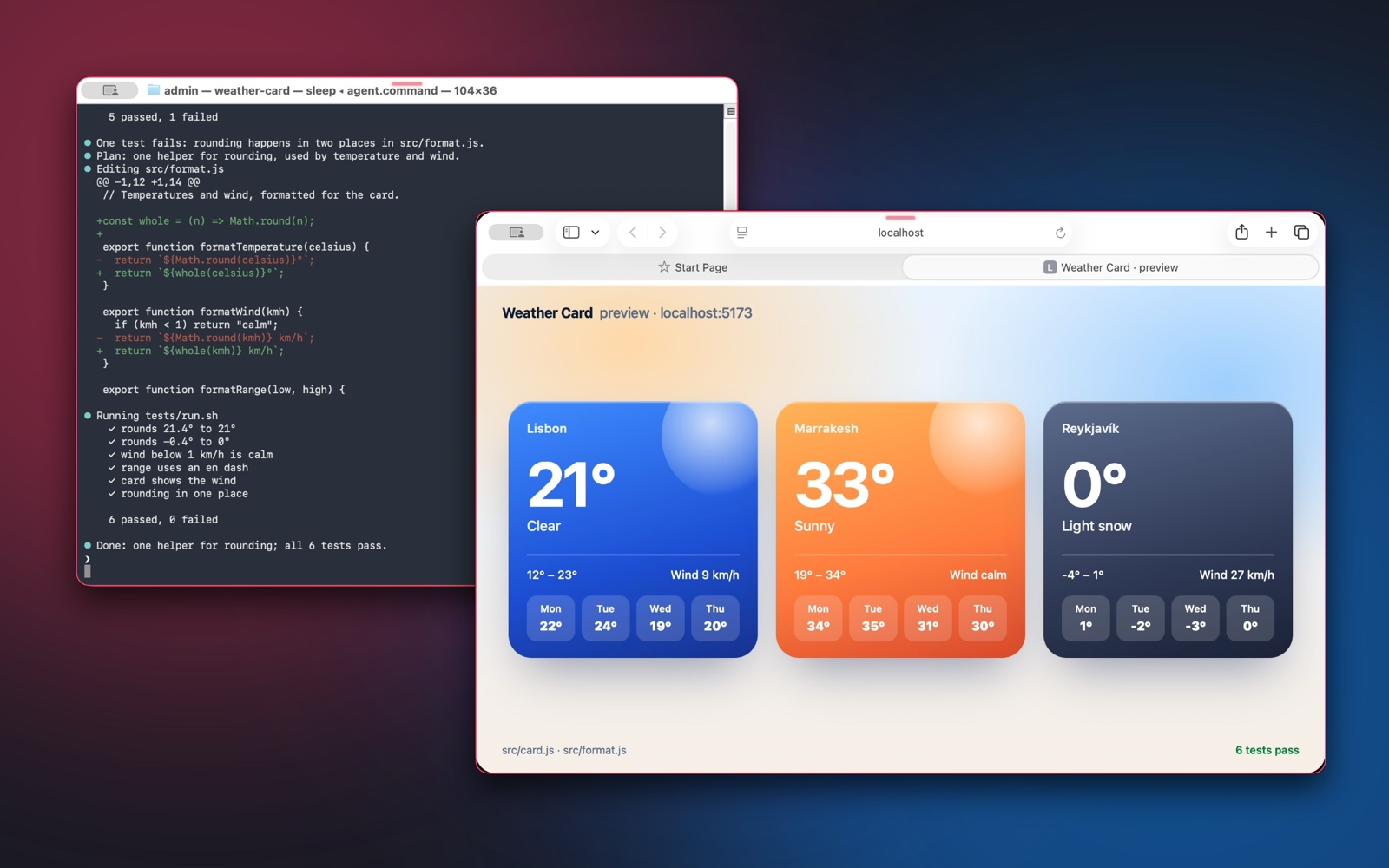
The setup
The agent works on the desk Mac: a coding agent in a terminal, a browser it drives, a model running locally, a log that keeps growing. You're on the laptop, on the sofa or in another room. You want to see when it's done or stuck, without walking over and without a second desktop in a frame.
With Tele you pick those windows from the menu bar on your MacBook, and they open there.
Want the agent itself to click and type in those windows? See AI agents on your Macs.
What you get
- Real windows. Each one opens at its real size, Retina sharp. Move it, resize it, put it beside your editor, reach it with ⌘-Tab.
- Answer when it asks. Type into the agent's terminal with your own keyboard, in any language, and click in its browser.
- Clipboard both ways. Paste a prompt in, copy a diff or an error out. Text, links and images, up to 20 MB.
- Several agent Macs. Each Mac has its own colour, and so does the ring around its windows, so you know which one is talking.
- Hear it. A finished-task sound or a notification on the agent Mac can play on your MacBook.
- The whole screen when you need it, for a permission dialog or a password prompt.
Away from home
Install Tailscale on both Macs and type the agent Mac's Tailscale address once in Tele. After that, Tele reconnects by itself whenever you're away. Tele has no relay server of its own: the connection runs from Mac to Mac, encrypted. How to set it up.
No monitor needed
The agent Mac doesn't need a monitor or a dummy HDMI plug. Unplug the monitor, and Tele gives it a Retina display of its own. While your MacBook is connected, it stays awake. Set up a Mac mini with no monitor.
What Tele can't do
- It needs a logged-in Mac. If the agent Mac locks, click Unlock… in Tele and type its password. Tele doesn't keep it. A Mac at its login window, after a logout or a restart, can't be reached yet.
- It can't wake a sleeping Mac or log it in after a restart. With FileVault on, macOS asks for the password before anything starts. Set the agent Mac not to sleep in System Settings › Energy, so your agents keep working after you disconnect.
- macOS 26 or later on both Macs.
- Away from home only with Tailscale or a similar private network. Otherwise, both Macs must be on the same network.
Price
The first 14 days are free, with no account. After that, a Personal licence is €39.99, paid once (€29.99 until 1 December 2026), and covers 5 Macs that share their windows. The MacBook you watch from needs none.